Testing the USB2Rig Interface with Direwolf
Digital interfaces are incredibly useful in modern amateur radio. They allow radios to communicate with computers and smartphones for modes like FT8, RTTY, Winlink, and APRS. One of the most well-known compact interfaces in this category is the DigiRig Mobile.
Recently, I came across a device called USB2Rig, which appears to be a near-identical clone of the DigiRig concept. Curious about how well it works, I decided to try it with APRS using my Mini-PC and Direwolf.
🔌 What is USB2Rig?
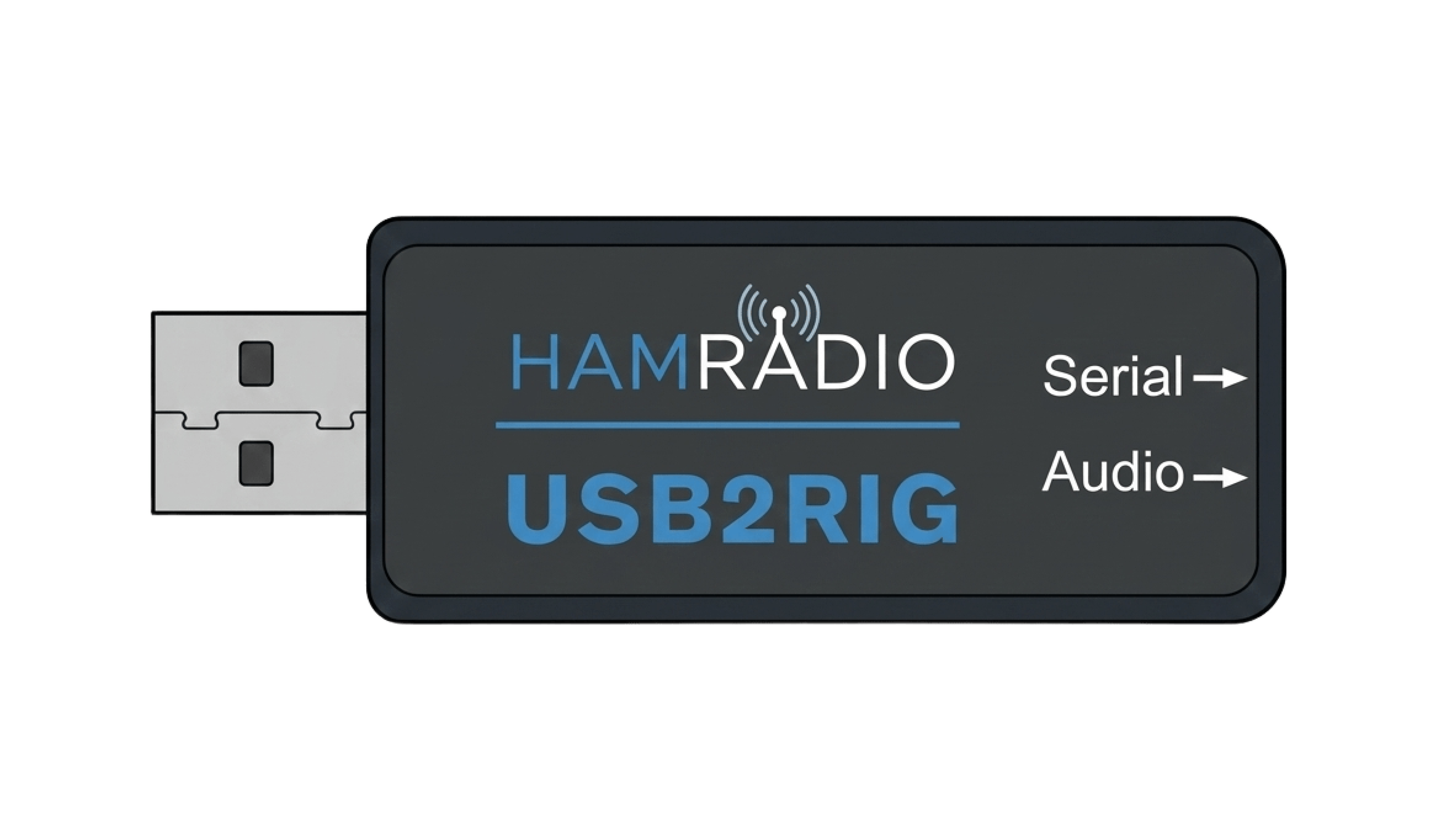 The USB2Rig compact digital interface
USB2Rig is a small USB audio interface designed for radio digital modes. Functionally, it behaves almost exactly like the DigiRig Mobile.
Interface Capabilities
- ✓ USB sound card functionality
- ✓ CAT/PTT control capability
- ✓ Audio input and output between radio and computer/phone
- ✓ Standard radio-specific cable connections
In practice, the cable wiring and pinout appear to be identical to DigiRig, meaning most DigiRig-compatible cables should work with it.
🎵 Note About the Audio2Rig Model
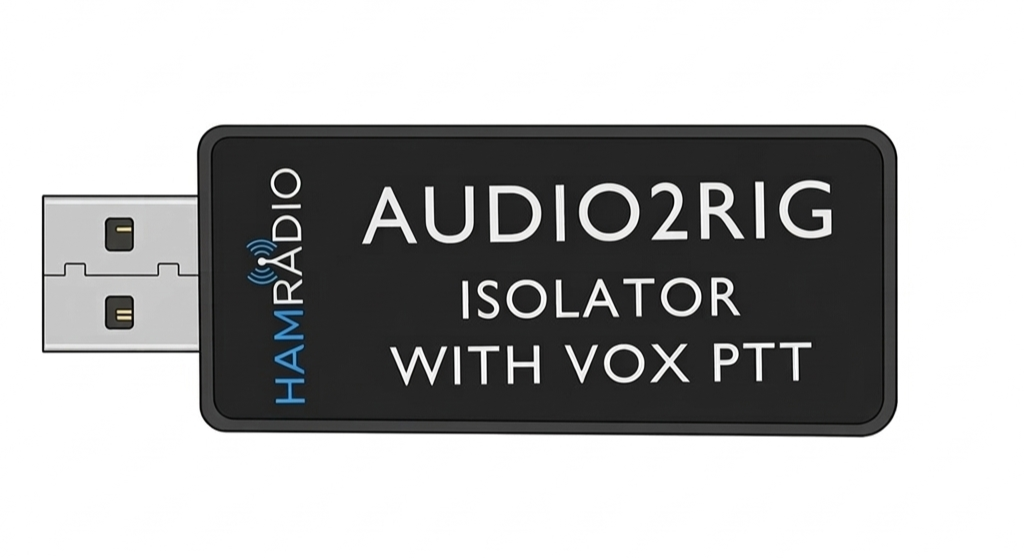 The simplified Audio2Rig model
USB2Rig is not the only interface in this product line. There is also a simplified model called Audio2Rig.
The Audio2Rig is designed as a basic audio-only interface, meaning it provides:
- USB sound card functionality
- Audio input and output between the radio and computer/phone
Because of this design, the Audio2Rig appears conceptually similar to the DigiRig Lite, which focuses on simple soundcard-based digital modes without the additional serial control features.
Operators who need CAT control may prefer the full USB2Rig model instead.
🔧 Wiring Diagram
 Detailed wiring diagram for USB2Rig connections
⚙️ Serial Interface Mode Selection
Similar to the DigiRig design, the USB2Rig PCB includes a 3×3 solder pad matrix used to configure the serial interface mode. This allows the interface to support different radio control standards by changing the electrical signaling levels.
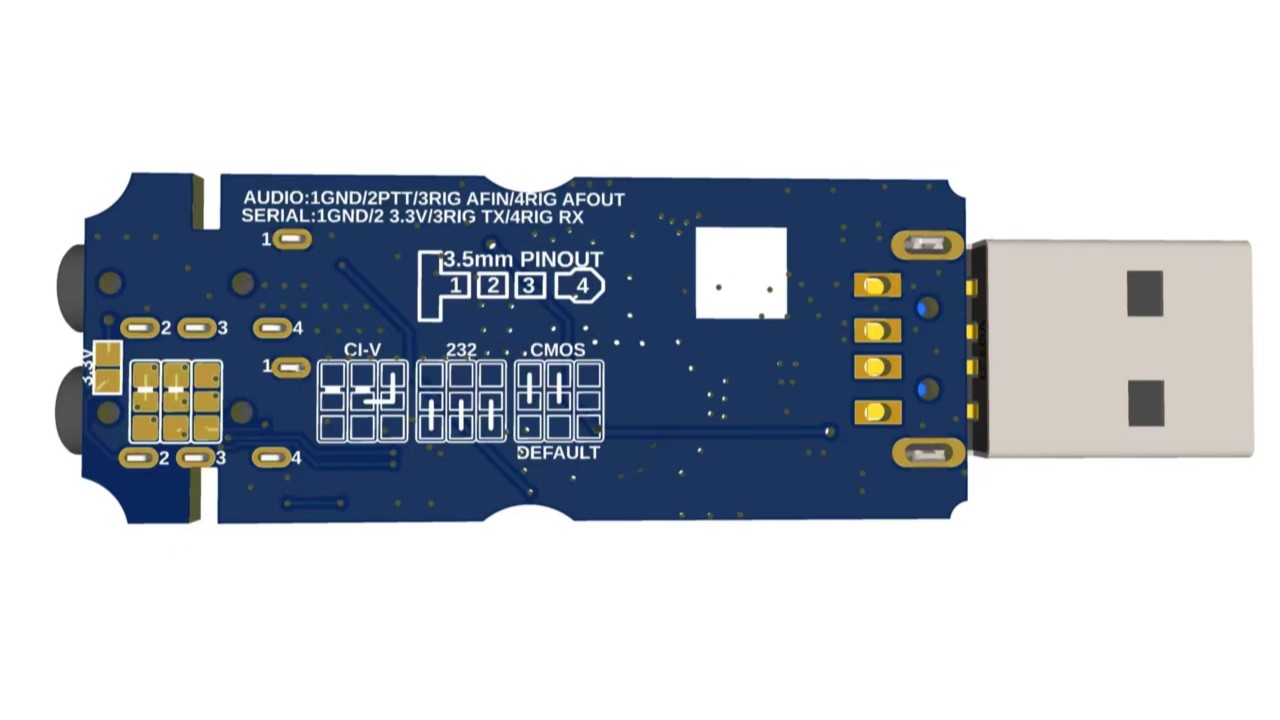 The 3×3 solder pad matrix for serial mode configuration
The available modes typically include:
| Mode | Electrical Level | Typical Use |
|---|---|---|
| CMOS / TTL | 0–3.3V or 0–5V logic | Logic-level CAT control used by radios such as Yaesu, Xiegu, and some Baofeng handhelds |
| RS-232 | ±6V to ±12V | Older radios with standard RS-232 serial ports, such as some Kenwood models with DB9 connectors |
| CI-V | Open-collector serial bus | Icom radios using the CI-V control interface |
🧪 Test Setup
For my test, I kept the setup simple and straightforward.
📻 Equipment Used
⚙️ Configuring Direwolf
Setting up Direwolf with USB2Rig was surprisingly straightforward, since the configuration is essentially identical to the setup used with the Digirig Mobile.
📖 Direwolf Setup Guide
There is already an in-depth guide for setting up Direwolf on the Modern Ham website, covering both Windows and Linux installation, configuration, and troubleshooting. I will not be going into further detail regarding the Direwolf installation and setup process in this article.
Once Direwolf is installed and the initial configuration is complete, the only remaining steps are to configure the correct audio input/output devices and the serial interface.
Direwolf Audio Devices
Run the following command to get a list of sound cards:
arecord -l
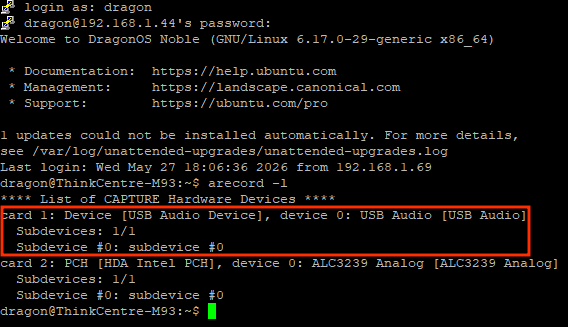 Identify USB2Rig audio interfaces
Once the correct audio input and output devices are identified, add the corresponding values to the
direwolf.conf file. These should be the card number followed by the device number, in that order.
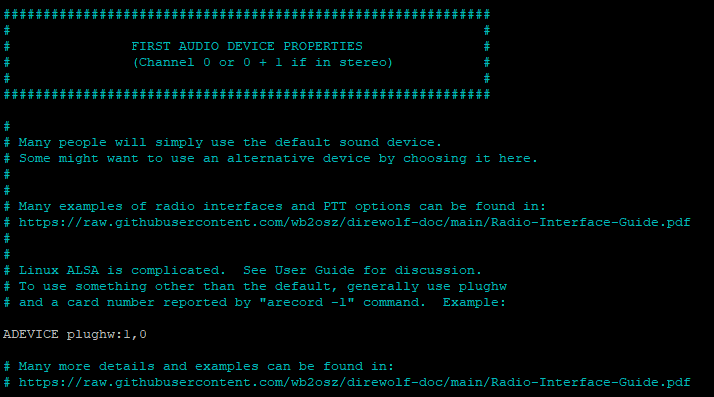 Direwolf audio configuration settings for USB2Rig
Direwolf Serial Devices
Type the following to list all /dev devices:
ls -l /dev
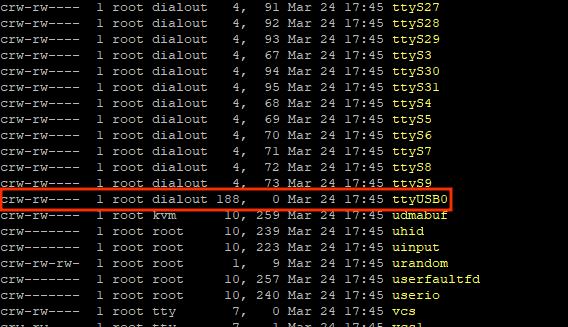 Identify USB2Rig serial interfaces
Once the correct serial device is identified, add the corresponding entry to the
direwolf.conf file.
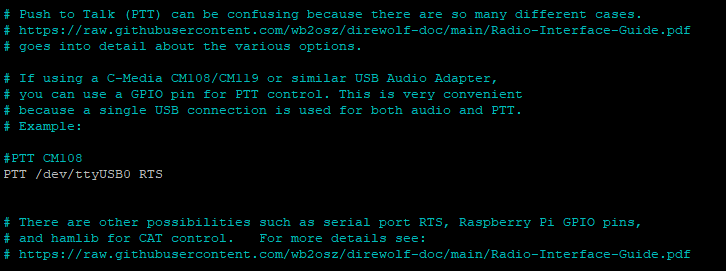 Direwolf serial configuration settings for USB2Rig
Once both settings have been correctly configured, the setup is complete, and no further changes are required.
📡 On-Air Testing
After completing the configuration, I transmitted a few APRS beacons. I then used the built-in APRS decoder on my HackRF PortaPack to verify the transmitted packets. The received audio levels appeared to be good as well, based on the successfully decoded frames.
🎯 Test Results
- ✓ APRS packets decoded reliably
- ✓ Audio levels were stable
- ✓ Transmissions were clean
- ✓ No noticeable latency issues
Example APRS Decodes
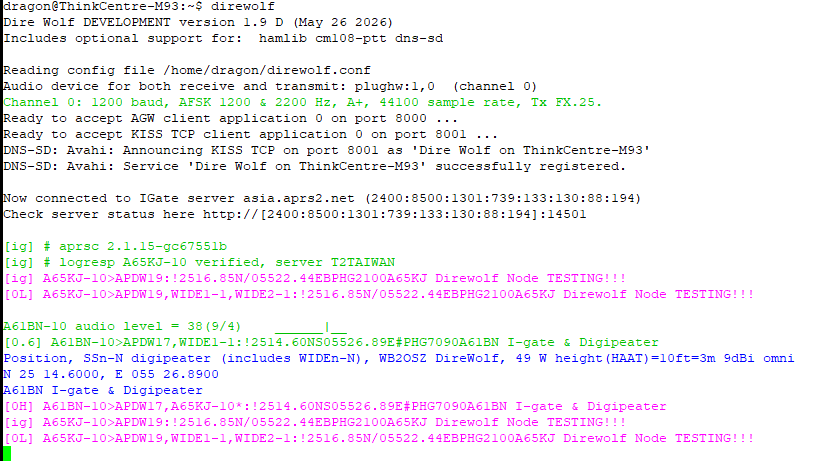 Successful APRS packet decodes from on-air testing
⚖️ USB2Rig vs DigiRig Mobile
| Feature | DigiRig Mobile | USB2Rig |
|---|---|---|
| Original Design | ✓ Yes | ✗ No (clone-style) |
| USB Sound Card | ✓ Yes | ✓ Yes |
| CAT/PTT Control | ✓ Yes | ✓ Yes |
| Compatible Cables | DigiRig cables | DigiRig-compatible |
| Android Compatibility | ✓ Yes | ✓ Yes |
| APRSdroid Support | ✓ Yes | ✓ Yes |
| Size/Form Factor | Compact | Very similar |
| Price | Higher | Typically cheaper |
📝 Field Notes
Practical Observations
USB2Rig was detected immediately as a USB audio device.
No additional drivers were required.
Audio levels were fairly forgiving, but needed minor adjustments to get better results.
The interface remained stable during long APRS beacon intervals.
There were some isolation issues present, but they were effectively mitigated by adding a few ferrite beads to the setup.
🎚️ Audio Level Tuning Tips
Transmit Audio Issues
❌ Too High
- Packets may be distorted
- Nearby stations may not decode your signal
❌ Too Low
- Digipeaters may fail to decode your packets
Recommended Approach
- 1 Start with SPK audio level around 60% and MIC level around 10% on the PC.
- 2 Disable all sound enhancement features, including microphone boost and AGC.
- 3 Fine-tune the radio volume and keep it around the mid-range level to help prevent overdriving or saturating the sound card audio input.
- 4 Adjust the squelch level to the lowest possible setting that still prevents the radio from continuously staying in receive mode.
- 5 Make sure VOX is disabled, along with RX/TX CTCSS and DCS tones. Also, disable any PTT delays and remove any tail tones configured on the radio.
- 6 Ensure the radio is set to FM wideband mode, if that option is available.
- 7 Monitor your signal with another receiver or SDR.
- 8 Finally, fine-tune the audio levels once more while monitoring Direwolf packet decodes, to achieve optimal audio levels and maximize successful decodes.
📸 Station Setup
 USB2Rig in Action
🏁 Final Thoughts
After testing the USB2Rig with APRS and examining the hardware inside, it appears to be a functional and reasonably well-designed digital radio interface. The device combines a USB audio codec, a USB-to-serial converter, and supporting circuitry behind a small USB hub, allowing it to present itself to the computer as a USB speaker, microphone, and serial port simultaneously.
From a practical standpoint, the interface worked well with APRS using Direwolf, and the setup process was straightforward once the audio levels were adjusted properly. The hardware design includes the essential components expected in this type of interface, such as audio isolation, serial level conversion, and configurable control signaling.
While the design clearly mirrors the concept of the DigiRig Mobile, the USB2Rig appears to implement the same basic architecture using lower-cost components such as the CH340 serial interface. In terms of functionality, however, it still provides the key features needed for digital operation, including audio input/output and serial-based PTT or CAT control.
Overall, the USB2Rig proved to be a useful and compact interface for digital radio experiments. With the right cables and configuration, it can support a wide range of applications, including APRS, packet radio, and other soundcard-based digital modes.
Signal Reports