
Decoding Inmarsat STD-C Maritime Satellite Messages
Introduction
In a previous post I explored Inmarsat AERO ACARS reception, demonstrating how aviation datalink traffic can be received from the Inmarsat satellite network using inexpensive Software Defined Radio hardware. While AERO channels primarily serve aircraft communications, the Inmarsat system also supports a number of services designed for the maritime sector.
One of the most widely used of these services is Inmarsat STD-C, a low-bandwidth messaging system used by ships, offshore platforms, and maritime authorities to exchange short text messages, operational data, and safety information. STD-C terminals are installed on thousands of vessels worldwide and are a core component of the Global Maritime Distress and Safety System (GMDSS).
STD-C transmissions operate in the L-band around 1.5 GHz and use a 1200 bps BPSK modulation scheme with an occupied bandwidth of roughly 2.4 kHz, which makes them surprisingly easy to receive with modest antennas and common SDR hardware.
STD-C Channel Types
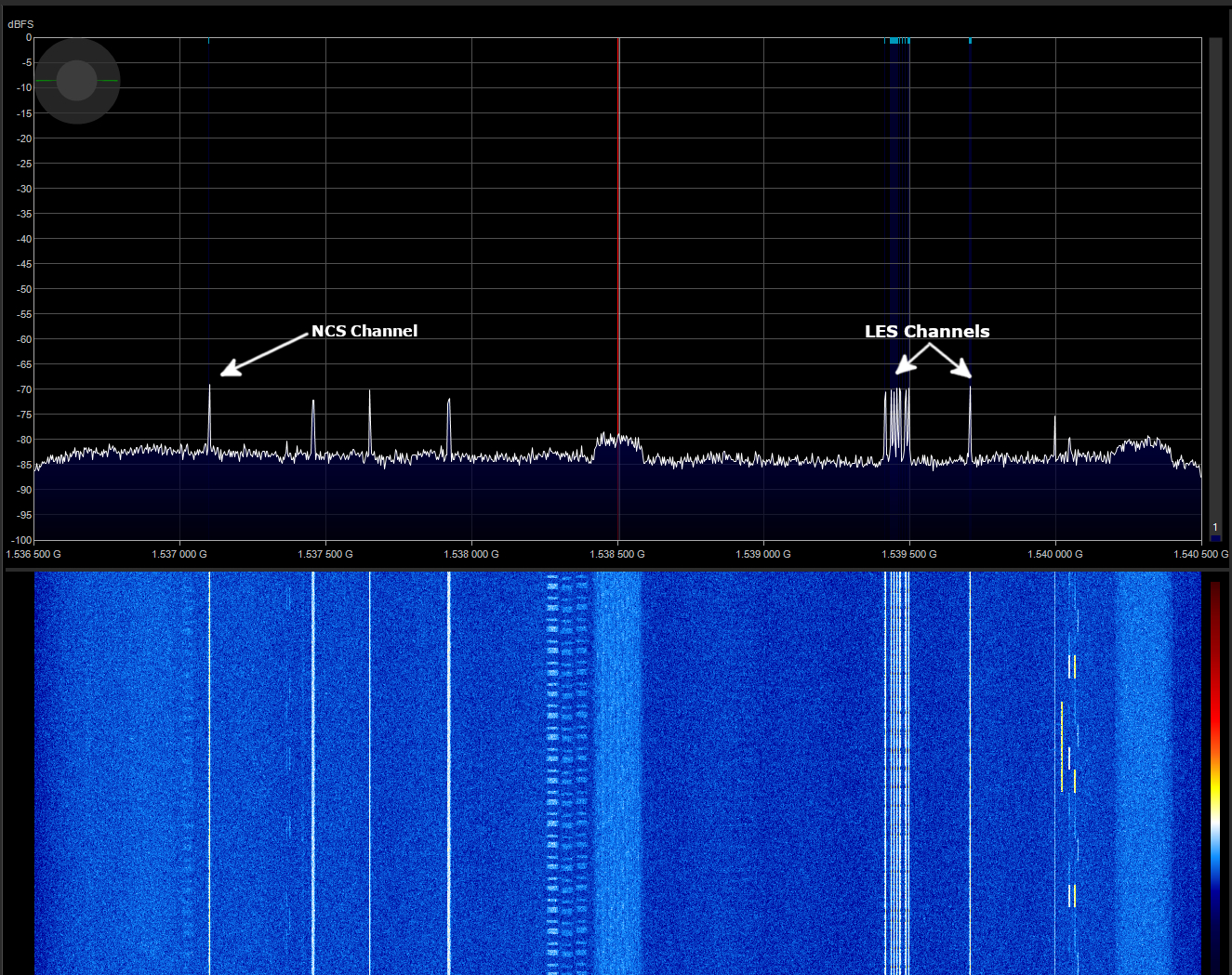
STD-C traffic is divided into two main types of channels:
Network Control Station (NCS) channels act as the primary broadcast channel for the satellite region. These channels transmit Enhanced Group Call (EGC) messages, which are broadcast messages intended for groups of vessels within the satellite footprint. Two major EGC services are commonly observed:
Broadcasts maritime safety information such as weather warnings, navigational hazards, and search-and-rescue alerts.
A commercial messaging service used by fleet operators to distribute operational messages to multiple vessels.
The second type are Land Earth Station (LES) channels. These channels carry individual messaging traffic between vessels and shore infrastructure. Messages transmitted on LES channels may include:
- Ship-to-shore communications
- Ship-to-ship messages
- Routine operational data
- Ship Security Alert System (SSAS) notifications
Because these signals are continuously transmitted and relatively strong across most of the satellite footprint, they make an excellent target for SDR experimentation.
In this post I will demonstrate how Inmarsat STD-C signals can be received and decoded, and how multiple channels can be monitored simultaneously using SDR++ and Skytale-C.
Antenna Setup
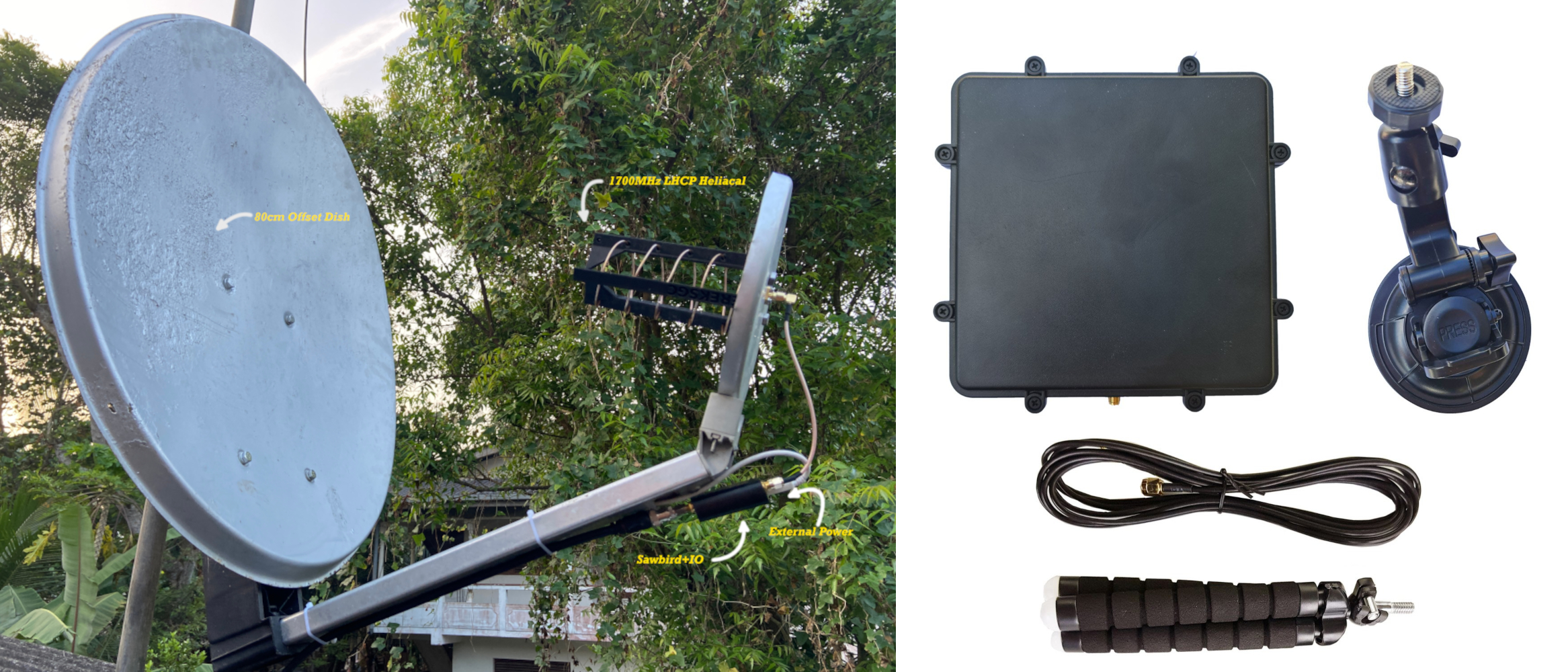
Compared to some other L-band services, Inmarsat STD-C signals are relatively strong, which makes them accessible using fairly modest receiving equipment. A simple patch antenna designed for the L-band is often sufficient for reliable reception.
Includes integrated LNA and filter. Can be powered directly from the SDR bias-tee. Compact and weatherproof for continuous outdoor operation.
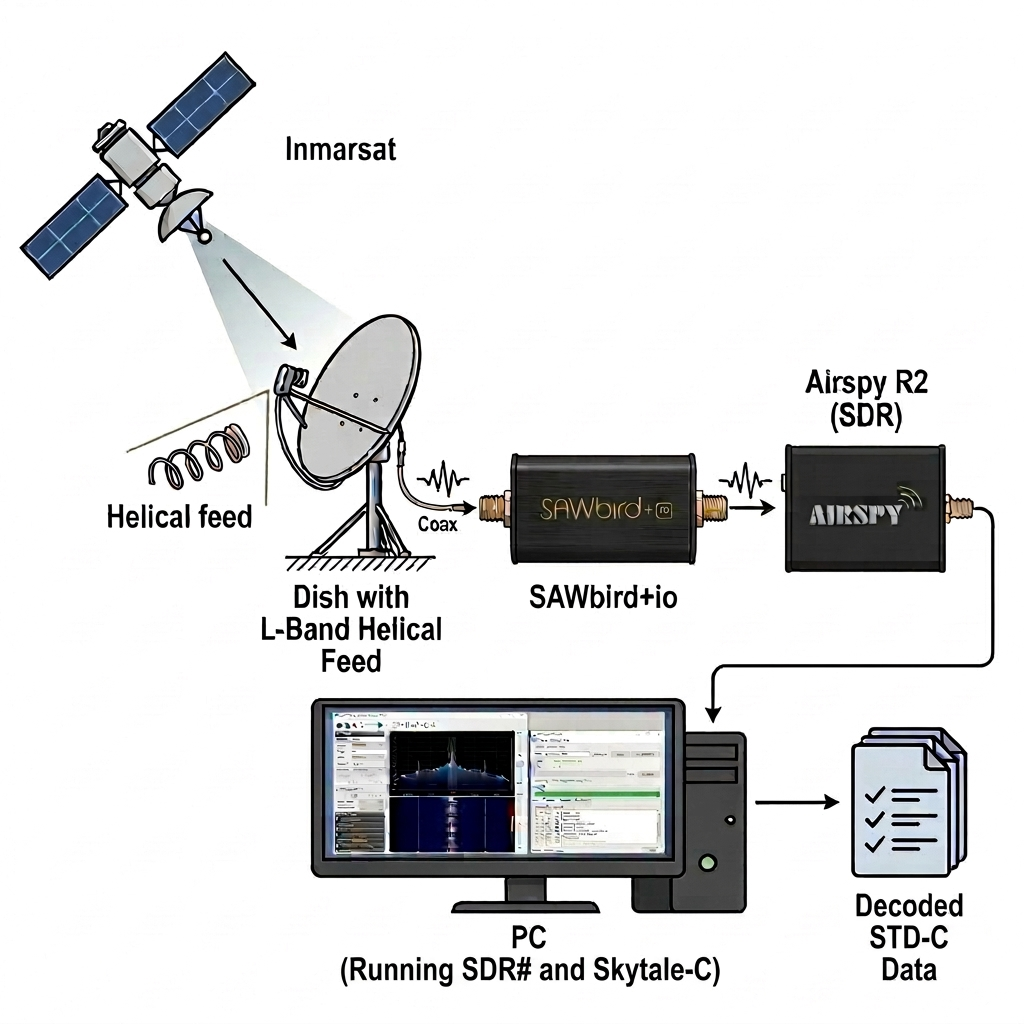
For improved signal quality, a small satellite dish with an L-band helical feed can also be used. A dish provides additional gain and a better signal-to-noise ratio, which becomes especially useful when attempting to monitor multiple channels simultaneously or when operating in environments with higher RF noise.
Reception can be further improved by adding an external L-band filtered LNA, such as the Nooelec SAWbird IO or SAWbird+ IO. These devices provide additional amplification while filtering out strong out-of-band signals that might otherwise degrade reception.
Software Setup
There are several software options available for decoding Inmarsat STD-C signals, although many of them are proprietary or commercial. A popular free option is Skytale-C by microp11, which provides reliable decoding and integrates directly with the SDR# community package.
Basic STD-C Decoding
The easiest way to get started is by using SDRSharp together with the Skytale-C plugin.
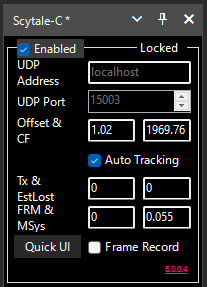
When the decoder successfully locks onto the signal, the status indicator in the top-right corner will display "Locked", and the constellation diagram will stabilize. Once locked, Skytale-C will begin decoding STD-C messages automatically.
Clicking the "Quick UI" button opens a separate window that displays decoded messages in real time.
youtube.com/@Paul-microp11
Decoding Multiple Channels Simultaneously
It is also possible to decode multiple STD-C channels simultaneously. While several approaches exist, using SDR++ with its built-in network streaming features is amoung the most efficient methods in terms of CPU usage.
First download the following software components:
Wideband SDR receiver with network streaming
STD-C decoder
Message display interface
Creating Virtual Receivers in SDR++
Open SDR++ and navigate to the Module Manager. Under the Radio module:
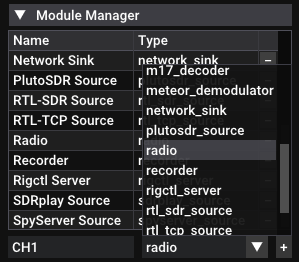
Streaming IQ Data to Skytale-C
Next, configure the network output:
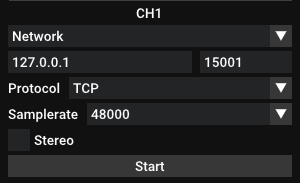
This will begin streaming the channel's IQ data through the selected TCP port to Skytale-C.
Repeat this process for each STD-C channel you want to monitor.
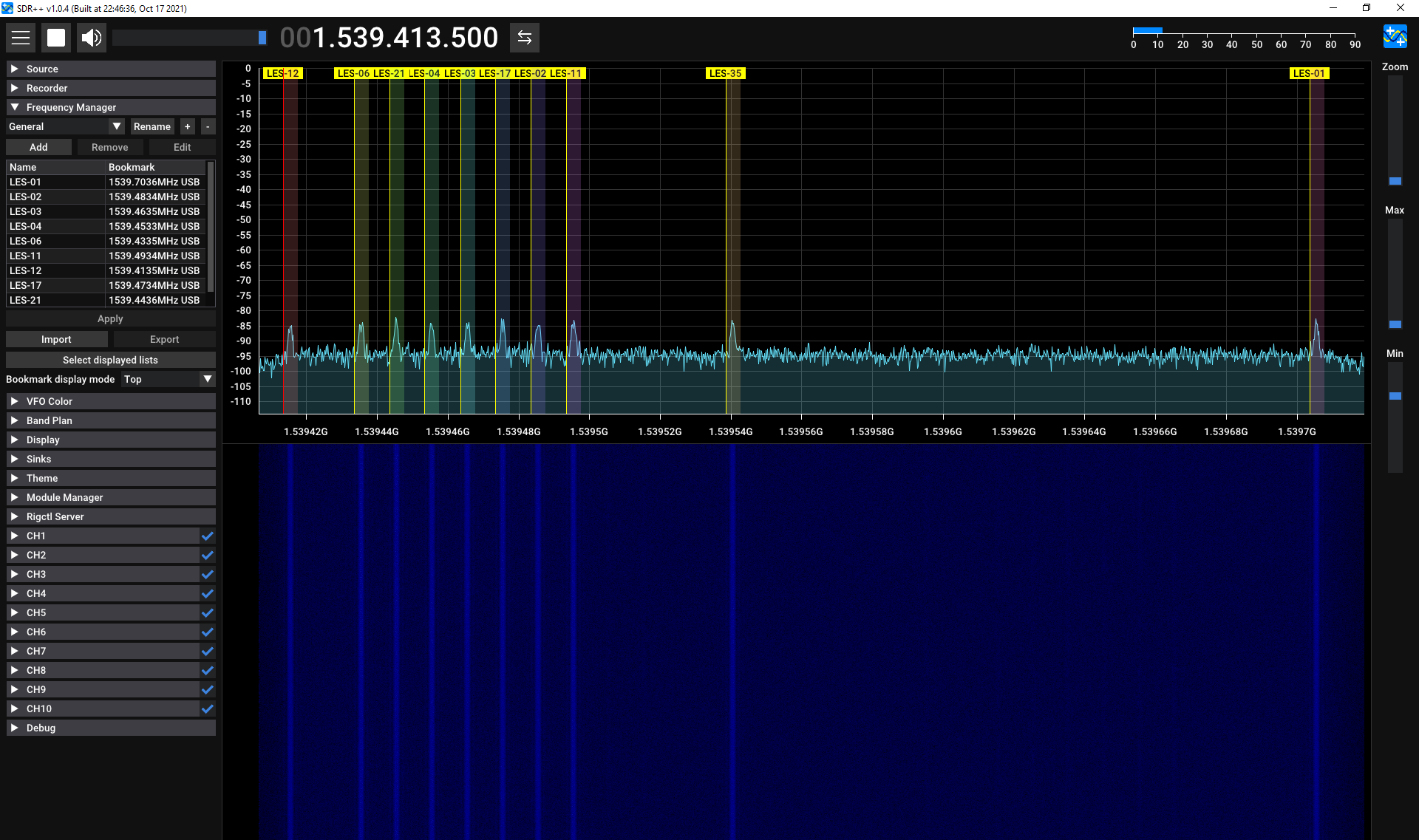
Configuring Skytale-C
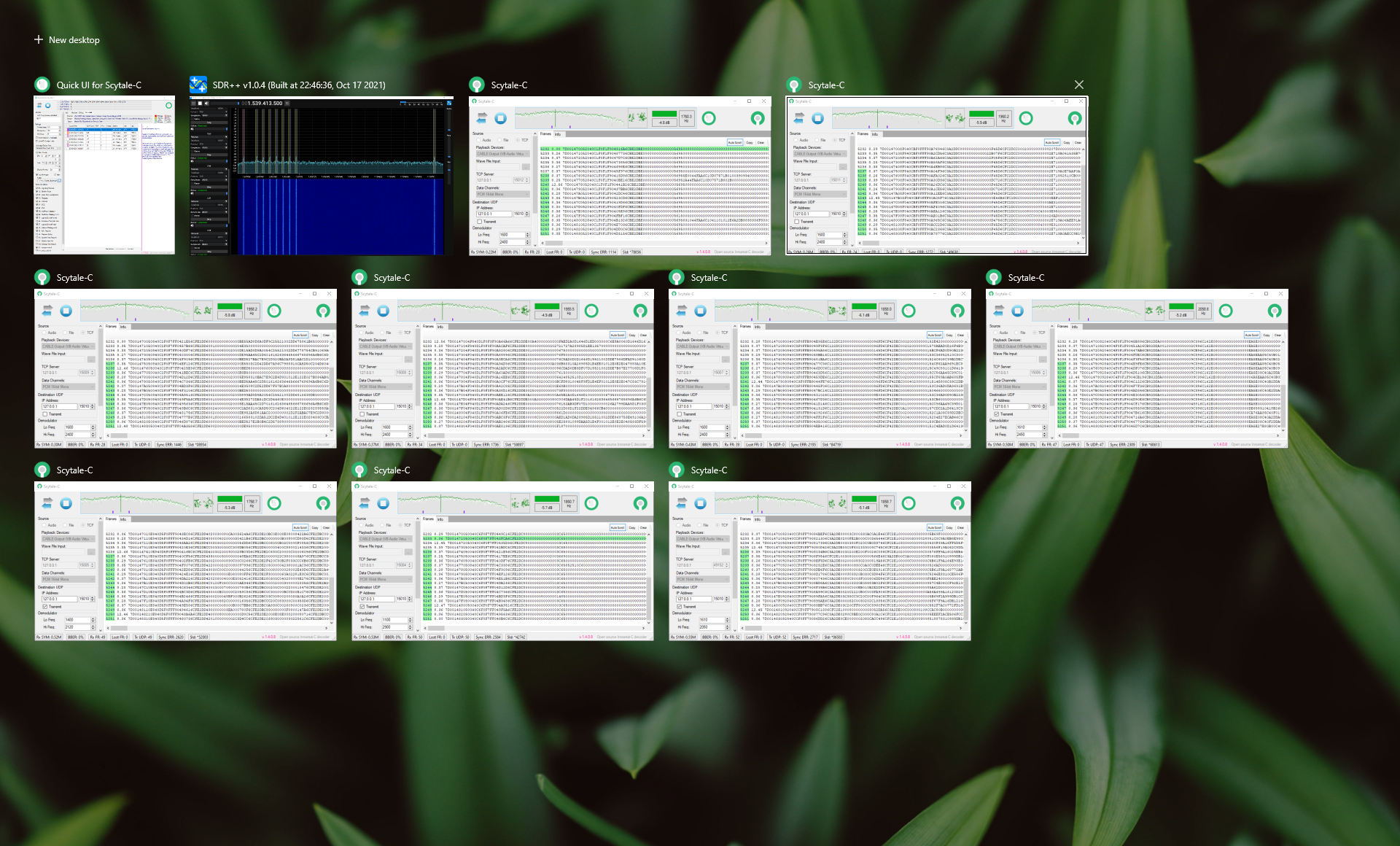
Extract the Skytale-C archive into a separate folder for each channel and rename the folder to match the corresponding VFO (for example CH01).
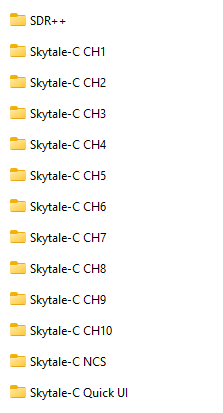
Inside Skytale-C:
Source Tab
- Enable the TCP input option.
- Enter 127.0.0.1 as the source address.
- Enter the TCP port assigned to that VFO.
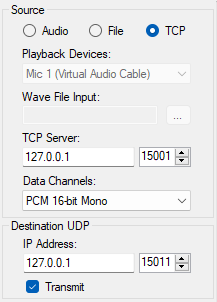
Next configure the output settings:
Destination UDP
- Enter 127.0.0.1.
- Assign a unique UDP port number.
- Enable the Transmit checkbox.
Press the Play button to start decoding.
This configuration forwards decoded messages via UDP to the Skytale-C Quick UI interface.
Configuring Skytale-C Quick UI
Finally, extract and launch the Skytale-C Quick UI application.
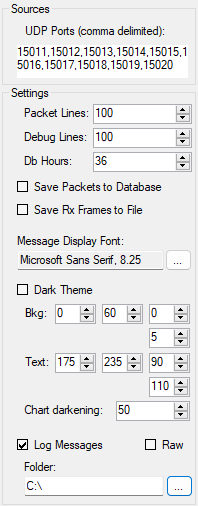
Click the Play button to begin receiving decoded traffic. Active STD-C channel IDs will appear at the top of the interface as messages are received.
Decoding Results
Once the receiver and decoder are configured correctly, decoded messages should begin appearing in the Skytale-C Quick UI interface within a few seconds.
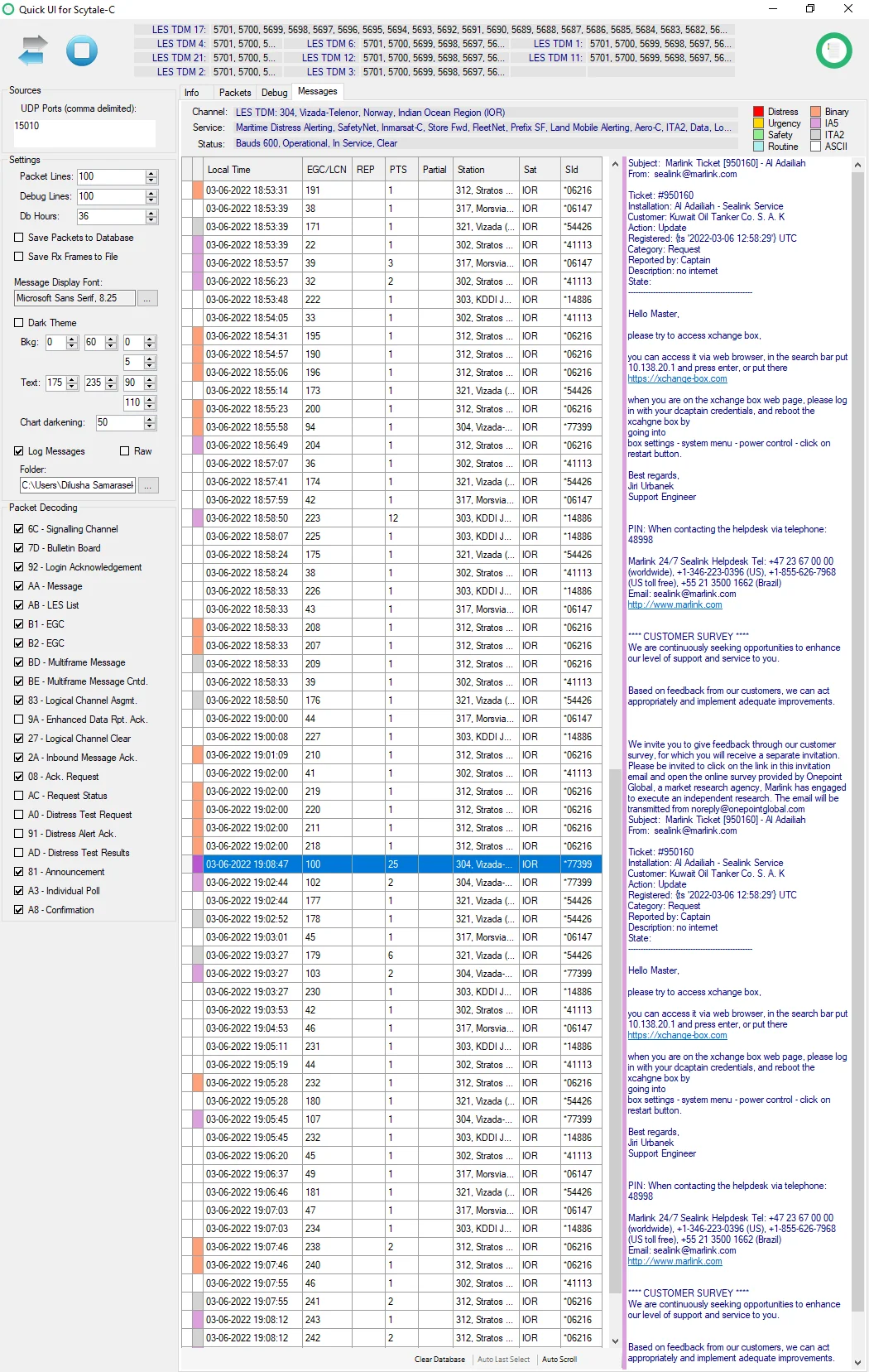
During monitoring of the Indian Ocean Region satellite, several types of STD-C traffic can typically be observed, including:
Containing maritime safety information such as weather warnings and navigational alerts.
Used by commercial operators to communicate with groups of vessels.
Exchanged between vessels and shore-based Land Earth Stations (LES).
Related to network control and terminal management.
Depending on the satellite footprint and local RF conditions, multiple STD-C channels may be active simultaneously. When using a wideband SDR such as the Airspy R2, it is possible to monitor several of these channels at the same time.
Final Thoughts
Receiving and decoding Inmarsat STD-C signals is a rewarding SDR project that demonstrates how accessible satellite communications monitoring has become with modern software-defined radio hardware. Because STD-C channels are relatively narrowband and strong across most of the satellite footprint, they can be received reliably with fairly modest equipment.
During my monitoring of the Indian Ocean Region satellite (IOR), which currently corresponds to the Alphasat-4 F1 located near 64°E, several STD-C channels were consistently active. In total, 11 channels were observable in this region — consisting of one Network Control Station (NCS) channel and several Land Earth Station (LES) channels. Using an Airspy R2, it was possible to decode all LES channels at the same time by streaming each channel to a separate Skytale-C instance.
The NCS channel, however, was located further away in the spectrum and could not be included within the same receiver bandwidth during my tests. With wider-band SDR hardware such as a HackRF or PlutoSDR, it may be possible to capture the entire STD-C channel set within a single spectrum window.
Overall, STD-C reception is an excellent introduction to satellite communication monitoring and provides a fascinating glimpse into real-world maritime communications. With the right antenna and a bit of experimentation, it is possible to continuously monitor satellite messaging traffic from ships operating across vast ocean regions.
Signal Reports