
Receiving GK-2A Weather Satellite Data
Sri Lanka sits in a very interesting position geographically for satellite reception. Several geostationary weather satellites are visible from here, and with the right equipment it is possible to receive their direct broadcast data transmissions. Over time I plan to explore and document reception of some of these satellites in future posts.
However, GEO-KOMPSAT-2A (GK-2A) holds a special place for me. Unlike many other geostationary weather satellites that require large antennas or more specialized hardware, GK-2A can be received using relatively modest equipment — a small satellite dish, an SDR receiver, and a low-noise amplifier. This makes it one of the most accessible geostationary weather satellites for hobbyists and radio enthusiasts in this region.
📡 Satellite Overview
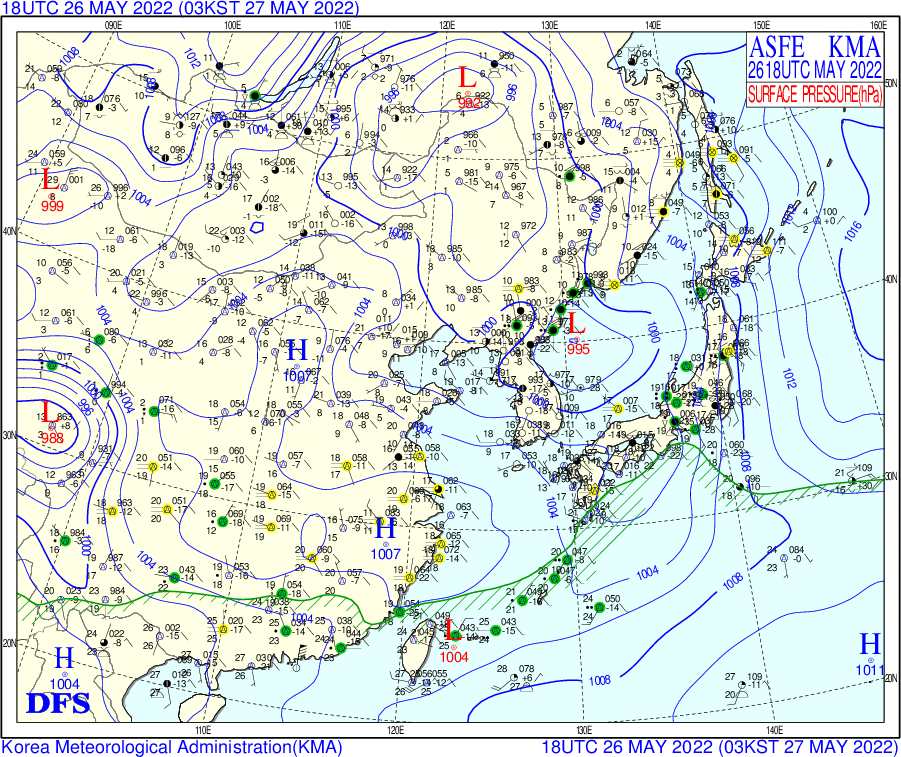
Another reason GK-2A stands out is that it broadcasts far more than just the familiar full-disk Earth imagery. In addition to high quality satellite images, the LRIT service distributes a wide variety of meteorological and oceanographic products including weather charts, regional and global wave models, sea surface temperature maps, surface pressure maps, and forecast data. When received continuously, this stream of information effectively provides a near real-time view of weather systems across a large portion of the Asia-Pacific region.
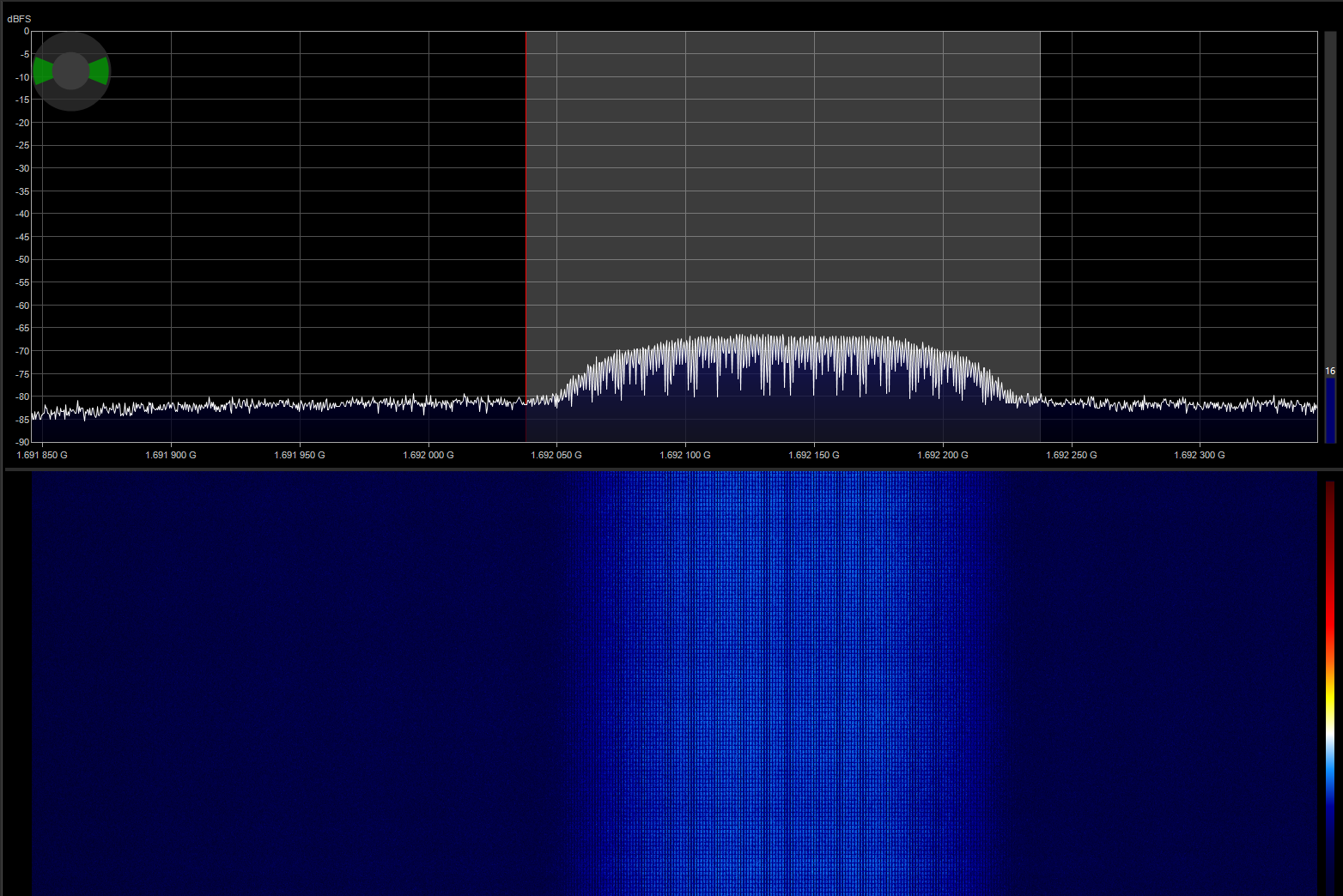
GK-2A is a South Korean geostationary meteorological satellite positioned at 128.2°E. It continuously transmits meteorological imagery and environmental data over L-band at 1692.14 MHz using the LRIT (Low Rate Information Transmission) service. The satellite has a large coverage footprint spanning Asia, Australia, New Zealand, and eastern Russia, which makes it easily receivable from Sri Lanka.
💡 Note: The satellite also broadcasts a higher bandwidth HRIT (High Rate Information Transmission) service at 1695.4 MHz. While HRIT carries higher resolution imagery, it requires a larger antenna and tighter link margins to receive reliably.
From Sri Lanka the satellite appears relatively low on the eastern horizon, but still high enough to maintain a stable link margin when using a properly aligned dish. With careful alignment and a low-noise receiving chain, reliable reception is possible even with relatively small antennas.
📚 Reference Resources
Two excellent guides that explain the reception process in detail are available from @sam210723 on his website, as well as the comprehensive tutorial on RTL-SDR.com. These resources cover the complete reception chain and were extremely helpful during my own setup process.
🔧 Hardware Setup
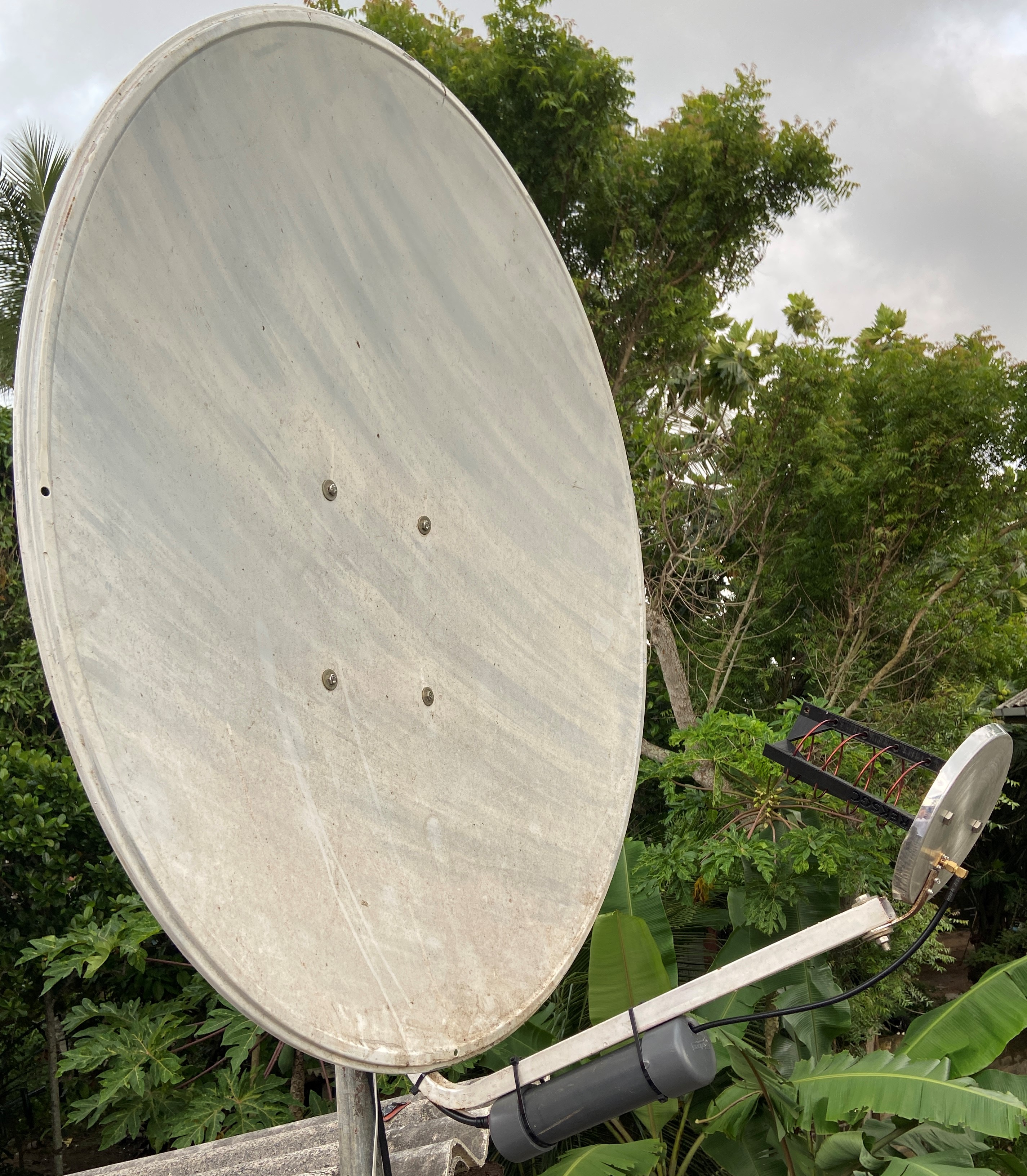
For reception I used an RTL-SDR V3 dongle paired with a Nooelec SAWbird+ GOES LNA. While a linear feed is typically recommended for GK-2A reception, I initially experimented using my existing HRPT dish setup which was equipped with a left-hand circularly polarized (LHCP) helical feed.
✨ Result: Surprisingly, even with this configuration the signal was strong enough to reliably receive the LRIT downlink once the dish was pointed correctly at the satellite.
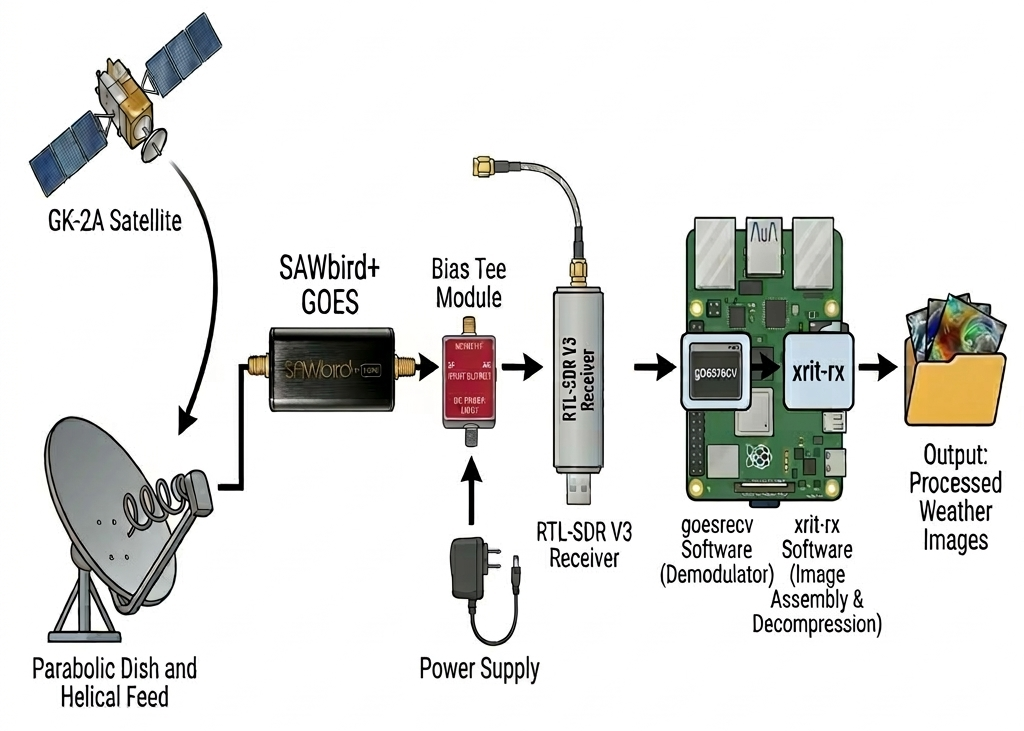
📡 RF Chain & Signal Path
The overall reception chain is relatively simple and can be implemented using commonly available SDR hardware. The dish collects the L-band signal from the satellite, which is amplified by the low-noise amplifier before being passed to the SDR receiver for demodulation and decoding on a Raspberry Pi.
💻 goesrecv & xrit-rx
To decode the LRIT broadcast I installed goesrecv and xrit-rx on a Raspberry Pi 4.
After configuring the goesrecv.conf file for the RTL-SDR V3, I downloaded the file
EncryptionKeyMessage_001F2904C905.bin from the
NMSC website.
This file contains the decryption key required for the LRIT broadcast.
Once decrypted and configured as EncryptionKeyMessage.bin within xrit-rx, the reception pipeline was started using:
In a second terminal the xrit-rx decoder was started with:
🎯 Success: Once both programs were running, image reception began immediately.
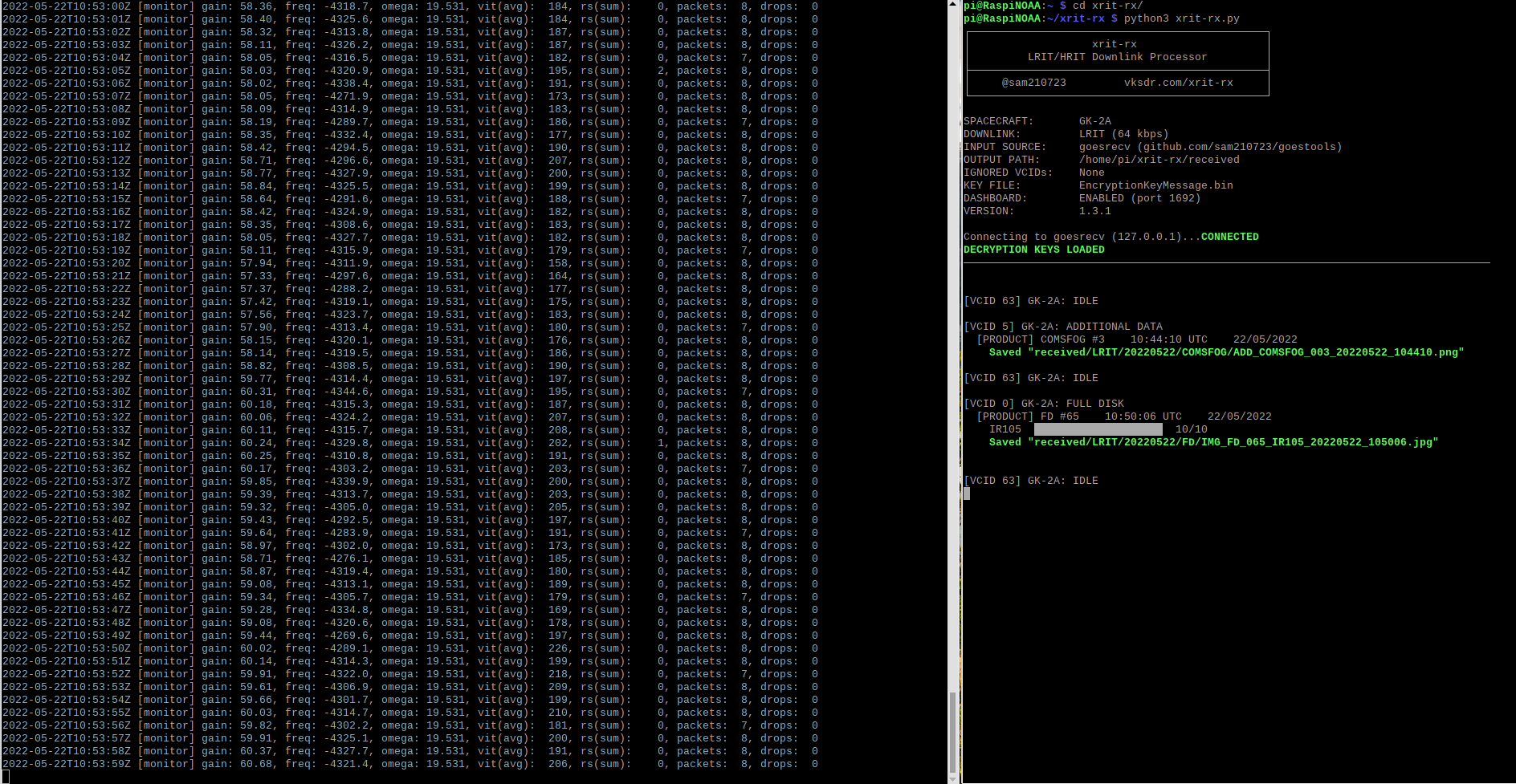
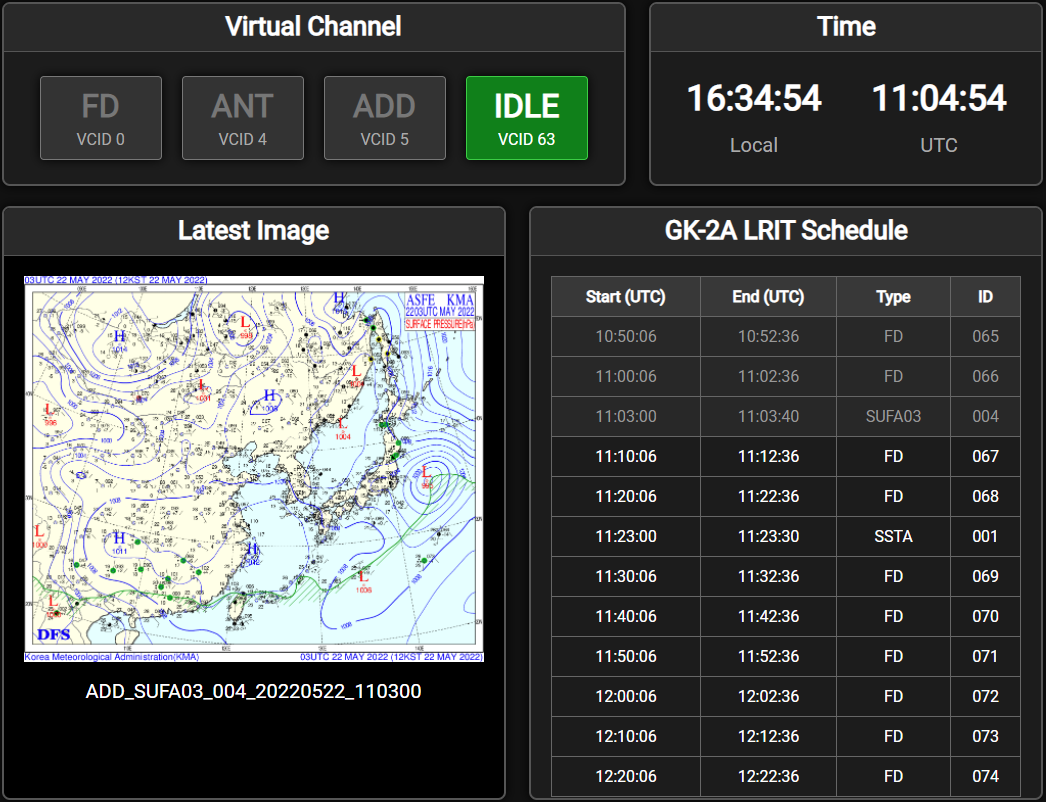
The xrit-rx dashboard can be accessed via a web browser at 127.0.0.1:1692, where it displays reception statistics, scheduling information, and real-time image processing status.
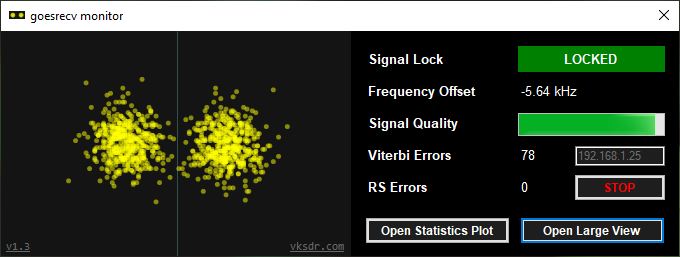
To further optimize reception quality I also installed the goesrecv monitor on my Windows PC and fine-tuned the dish alignment to maximize the signal-to-noise ratio (SNR).
🎨 Post Processing
Once received, the raw satellite images can be enhanced using tools such as Sanchez and the GK-2A GIMP plugins.
These tools allow additional processing such as applying false color palettes, adding geographic overlays and underlays, and embedding timestamps. Since GK-2A transmits a full disk image every 10 minutes, a total of 144 images per day can be collected and combined into smooth time-lapse animations.
🌊 Additional Data Products
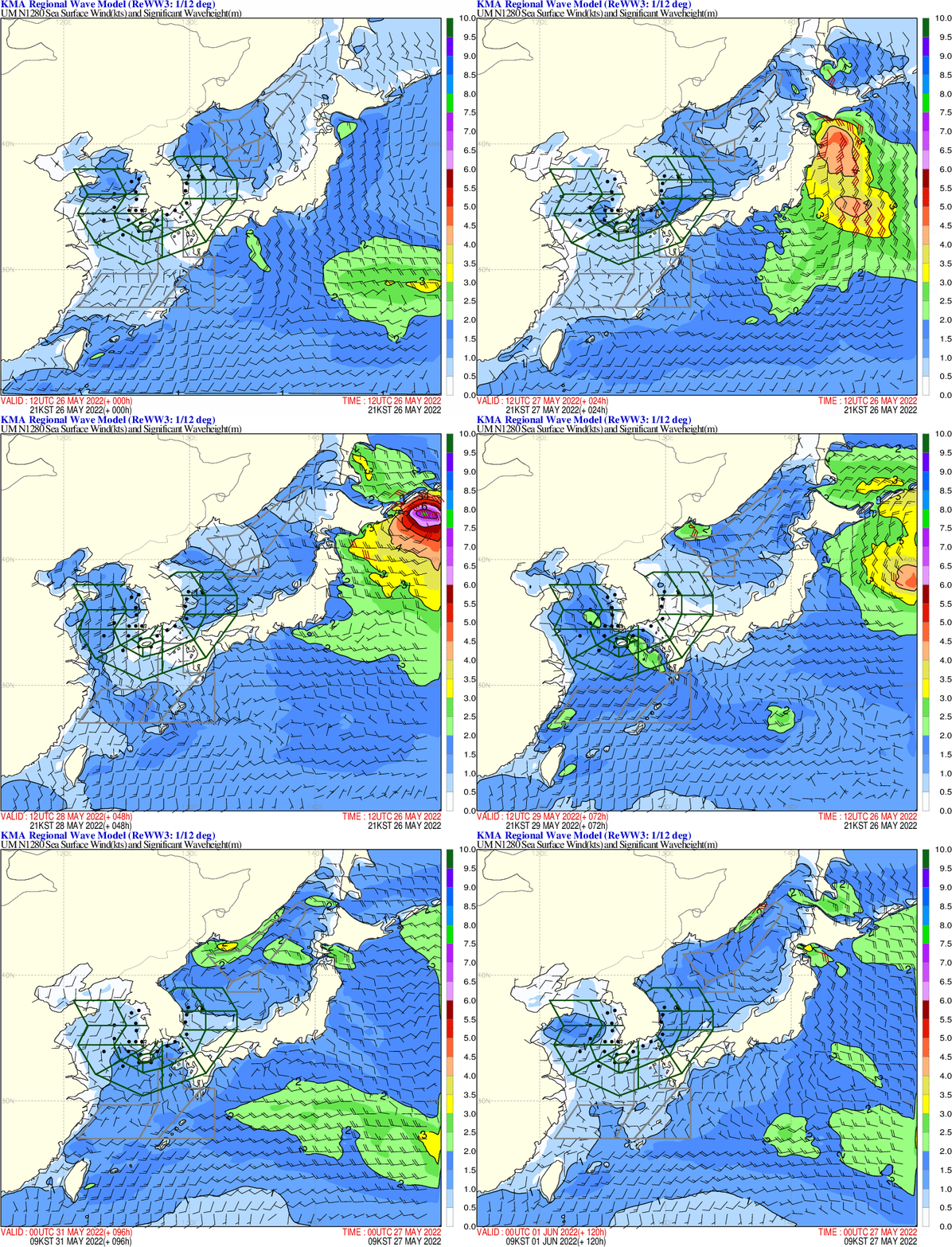
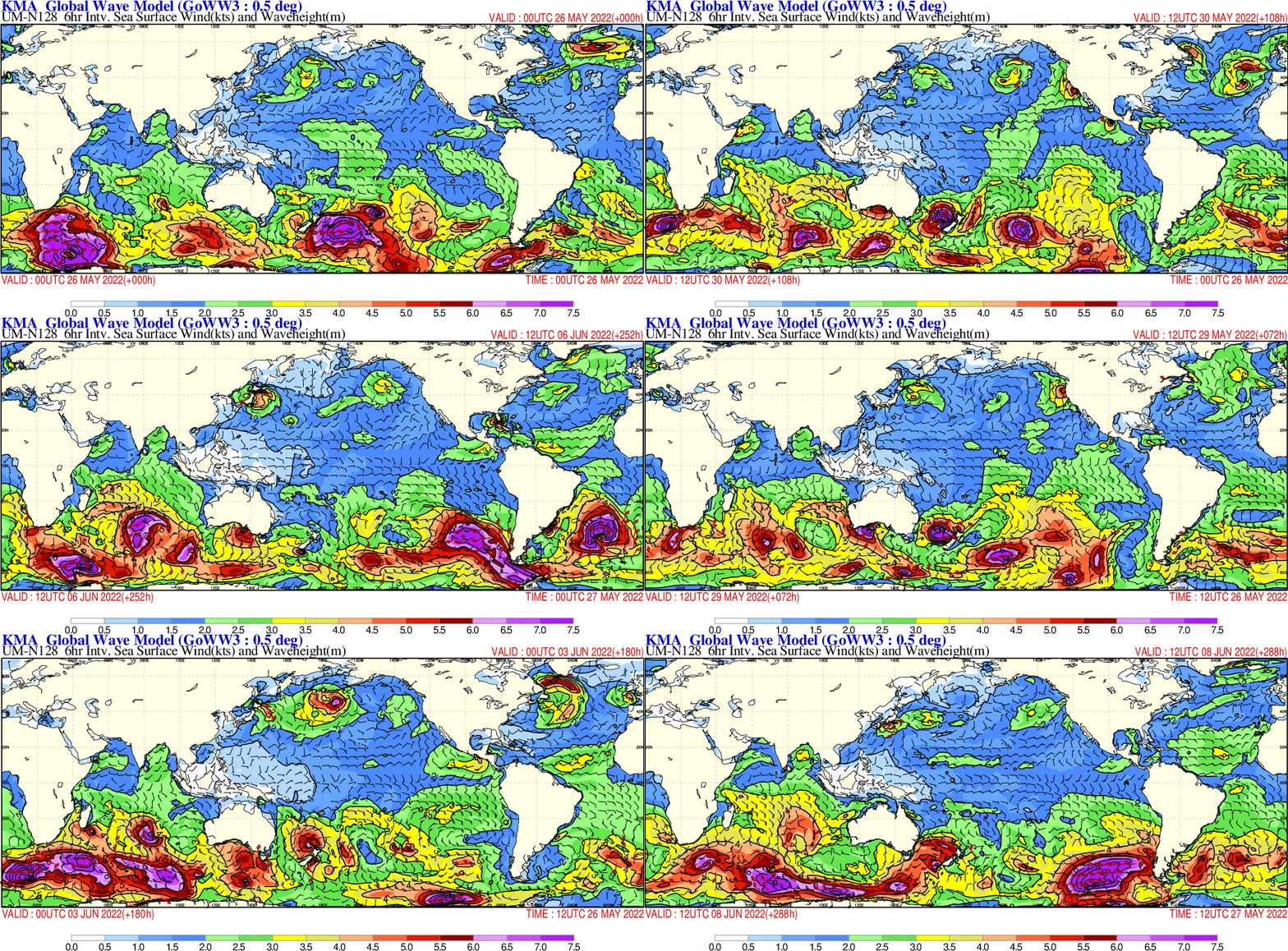
Beyond full disk imagery, the LRIT broadcast also includes a variety of meteorological products such as regional and global wave models, weather charts, sea surface temperature maps, and surface pressure forecasts.
⚡ System Performance
Both goesrecv and xrit-rx are highly optimized and run efficiently even on low-power hardware. When running continuously on a Raspberry Pi 4 the system maintained very low CPU usage and stable temperatures, making it perfectly suitable for 24/7 operation.
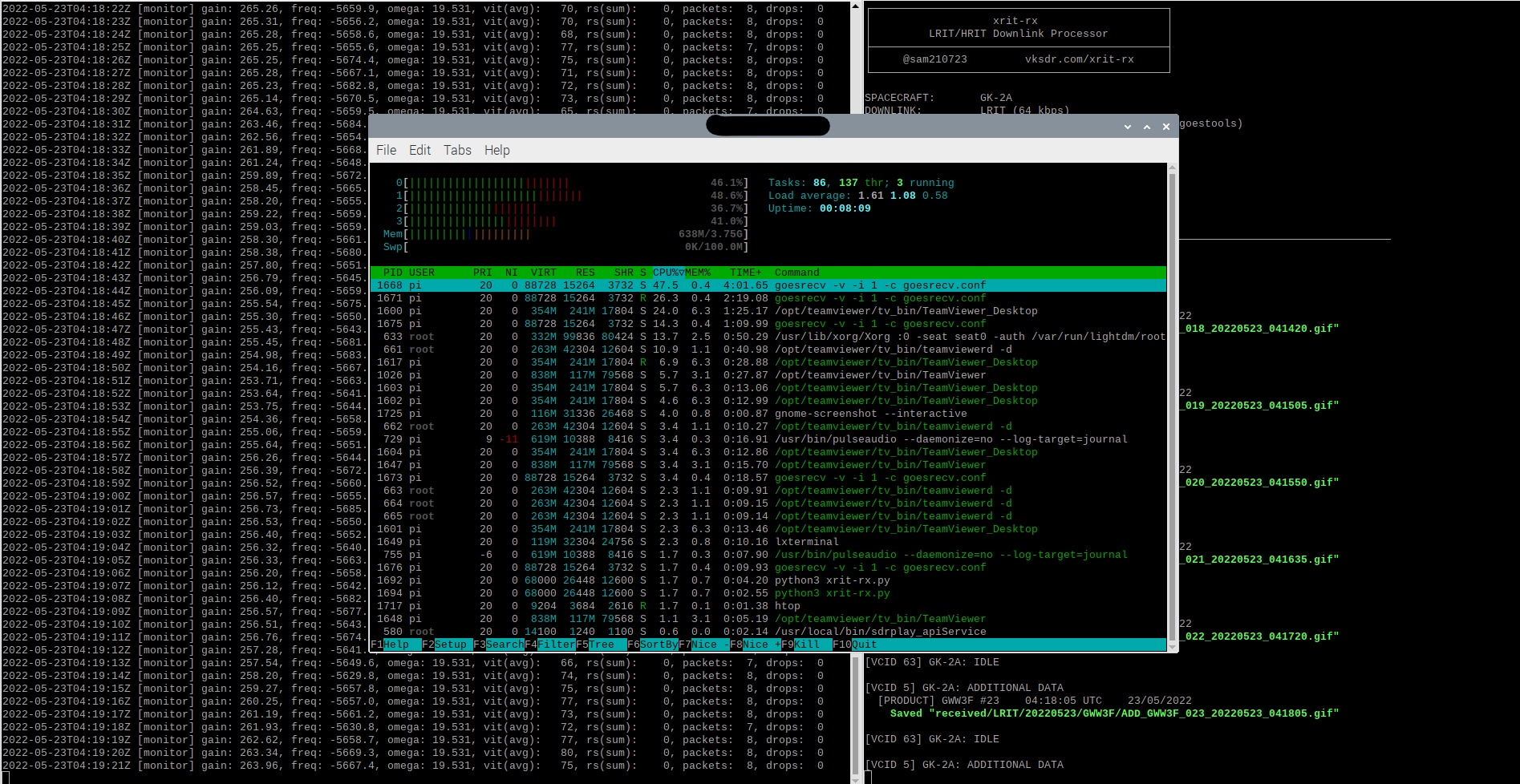
✅ 24/7 Operation Ready: The Pi 4 handles continuous reception with minimal resource usage, making this an ideal always-on weather monitoring station.
Signal Reports