Testing the USB2Rig Interface with APRSdroid
Digital interfaces are incredibly useful in modern amateur radio. They allow radios to communicate with computers and smartphones for modes like FT8, RTTY, Winlink, and APRS. One of the most well-known compact interfaces in this category is the DigiRig Mobile.
Recently I came across a device called USB2Rig, which appears to be a near-identical clone of the DigiRig concept. Curious about how well it works, I decided to try it with APRS using my Android Tablet and the APRSdroid application.
🔌 What is USB2Rig?
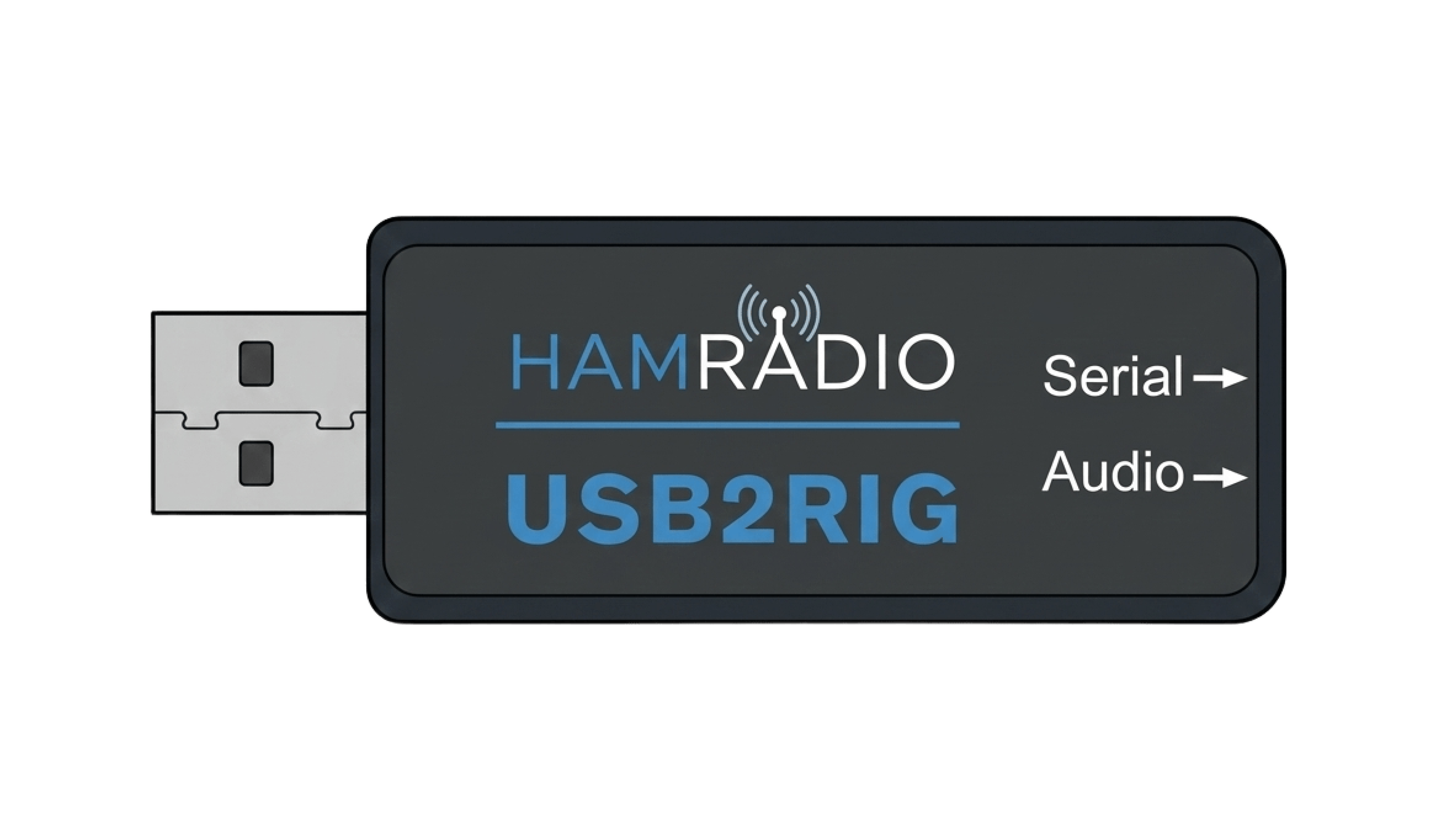 The USB2Rig compact digital interface
USB2Rig is a small USB audio interface designed for radio digital modes. Functionally, it behaves almost exactly like the DigiRig Mobile.
Interface Capabilities
- ✓ USB sound card functionality
- ✓ CAT/PTT control capability
- ✓ Audio input and output between radio and computer/phone
- ✓ Standard radio-specific cable connections
In practice, the cable wiring and pinout appear to be identical to DigiRig, meaning most DigiRig-compatible cables should work with it.
🎵 Note About the Audio2Rig Model
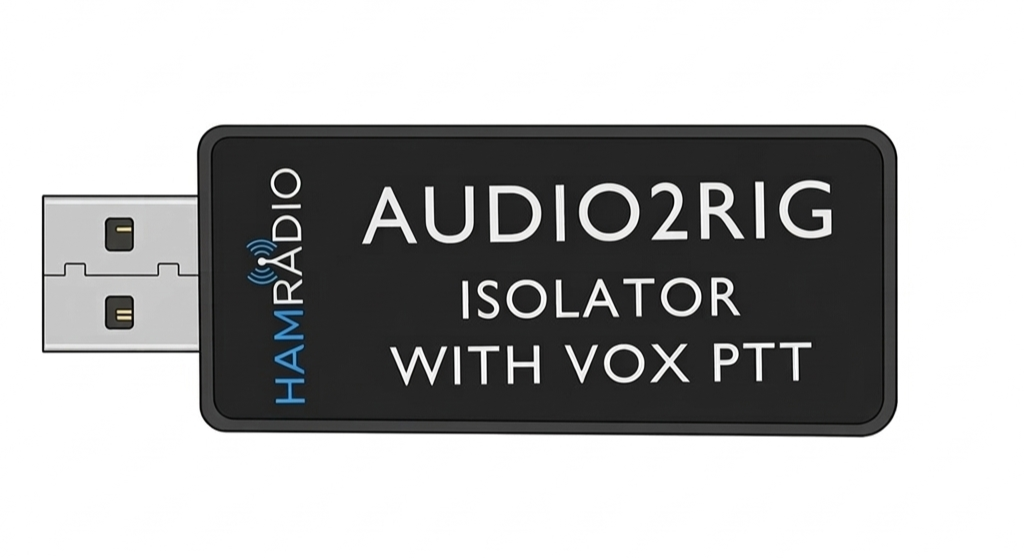 The simplified Audio2Rig model
USB2Rig is not the only interface in this product line. There is also a simplified model called Audio2Rig.
The Audio2Rig is designed as a basic audio-only interface, meaning it provides:
- USB sound card functionality
- Audio input and output between the radio and computer/phone
Because of this design, the Audio2Rig appears conceptually similar to the DigiRig Lite, which focuses on simple soundcard-based digital modes without the additional serial control features.
Operators who need CAT control may prefer the full USB2Rig model instead.
🔧 Wiring Diagram
 Detailed wiring diagram for USB2Rig connections
⚙️ Serial Interface Mode Selection
Similar to the DigiRig design, the USB2Rig PCB includes a 3×3 solder pad matrix used to configure the serial interface mode. This allows the interface to support different radio control standards by changing the electrical signaling levels.
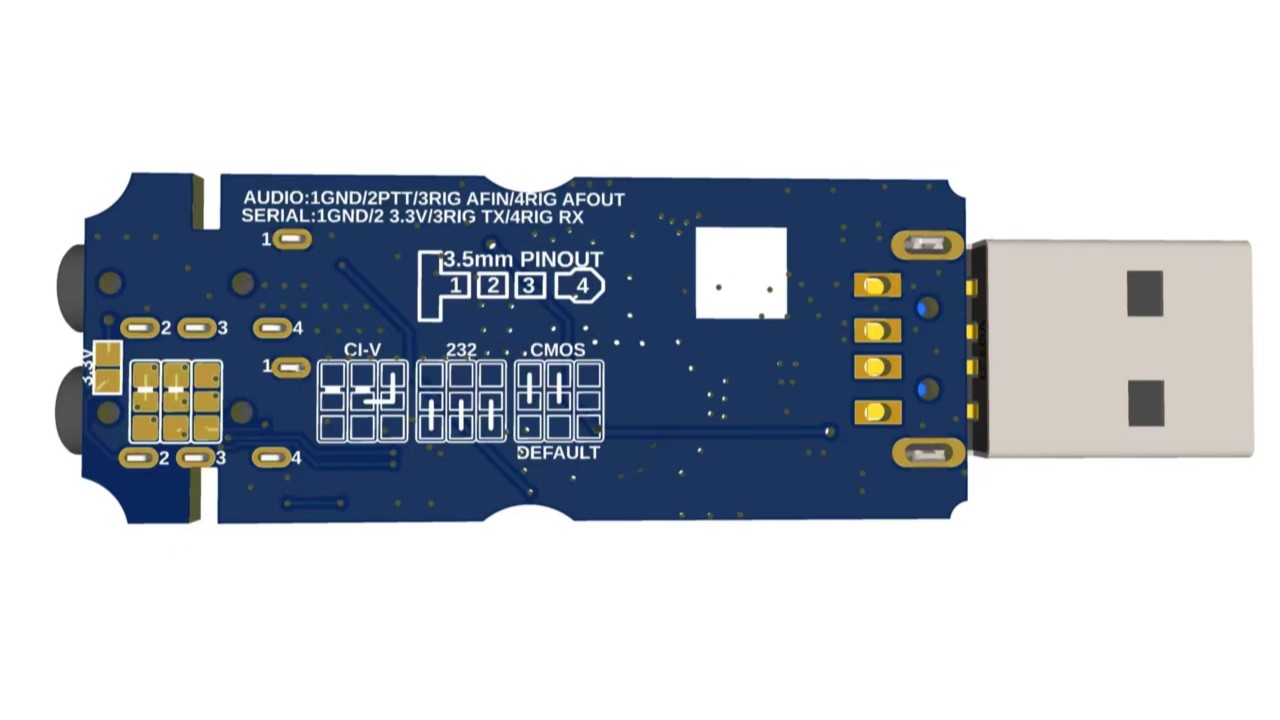 The 3×3 solder pad matrix for serial mode configuration
The available modes typically include:
| Mode | Electrical Level | Typical Use |
|---|---|---|
| CMOS / TTL | 0–3.3V or 0–5V logic | Logic-level CAT control used by radios such as Yaesu, Xiegu, and some Baofeng handhelds |
| RS-232 | ±6V to ±12V | Older radios with standard RS-232 serial ports, such as some Kenwood models with DB9 connectors |
| CI-V | Open-collector serial bus | Icom radios using the CI-V control interface |
🧪 Test Setup
For my test, I kept the setup simple and portable.
📻 Equipment Used
📲 Note on the APRSdroid Version Used
🌟 NA7Q Community Fork
For my testing, I did not use the standard release of APRSdroid. Instead, I used a community fork maintained by NA7Q, which includes additional features and improvements.
This version adds several useful capabilities, including:
- Direct support for DigiRig-style interfaces
- Improved hardware compatibility
- Additional configuration options
- Support for OpenStreetMap (OSM) tiles
If you are experimenting with USB soundcard interfaces or DigiRig-compatible hardware, this version of APRSdroid may be worth trying.
⚙️ Configuring APRSdroid
Setting up APRSdroid with the USB2Rig was straightforward.
Configuration Steps
- 1 Connect the USB2Rig to the phone using a USB OTG adapter.
- 2 Connect the radio cable between the interface and the transceiver.
- 3 Open APRSdroid.
- 4 Select AFSK via USB sound card as the connection type.
- 5 Adjust audio levels if necessary.
Once configured, APRSdroid handled the APRS modulation and demodulation using the USB audio interface.
APRSdroid Configuration Screenshot
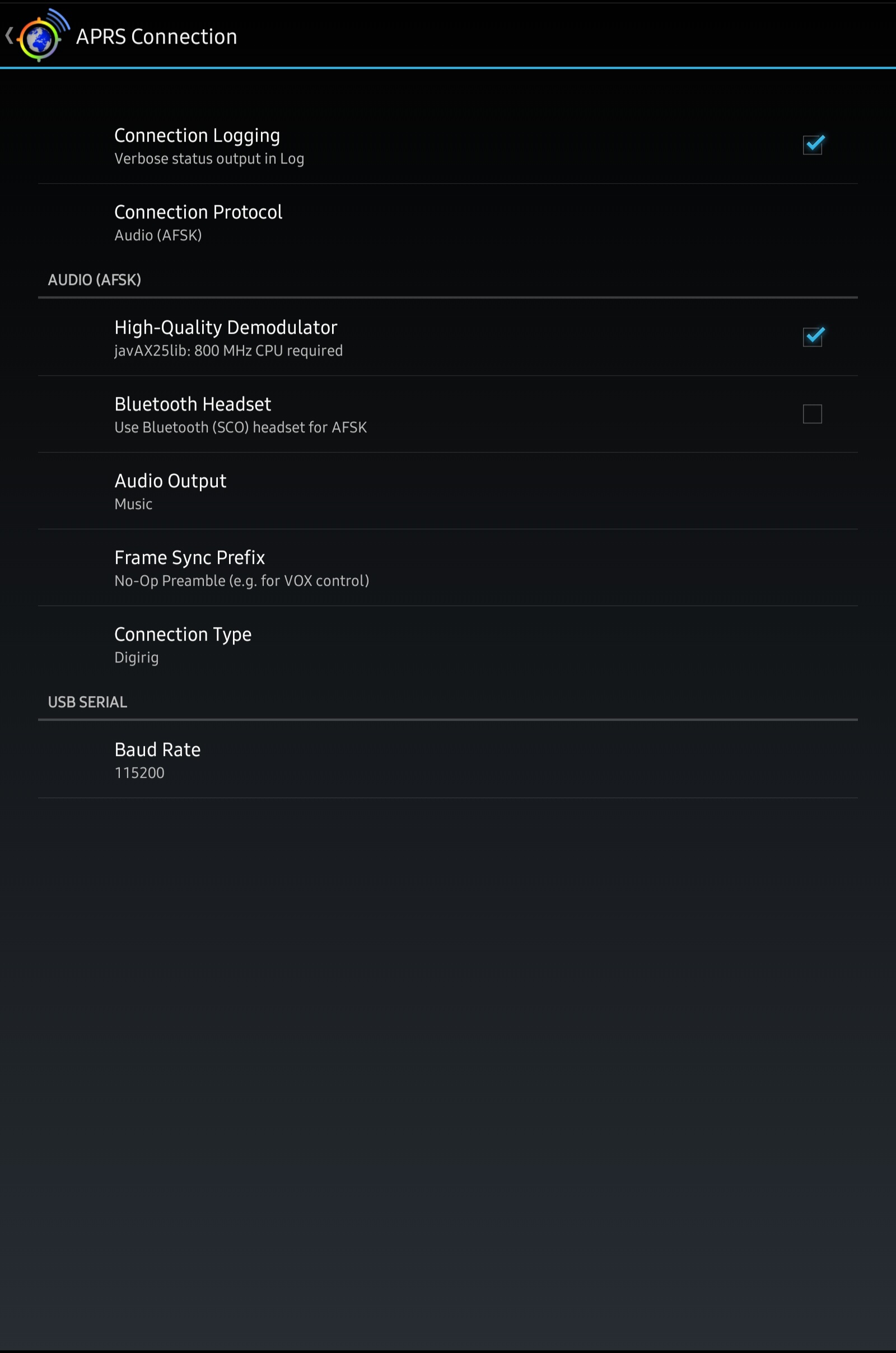 APRSdroid configuration settings for USB2Rig
📡 On-Air Testing
After configuring everything, I transmitted a few APRS beacons.
🎯 Test Results
- ✓ APRS packets decoded reliably
- ✓ Audio levels were stable
- ✓ Transmissions were clean
- ✓ No noticeable latency issues
Example APRS Decodes
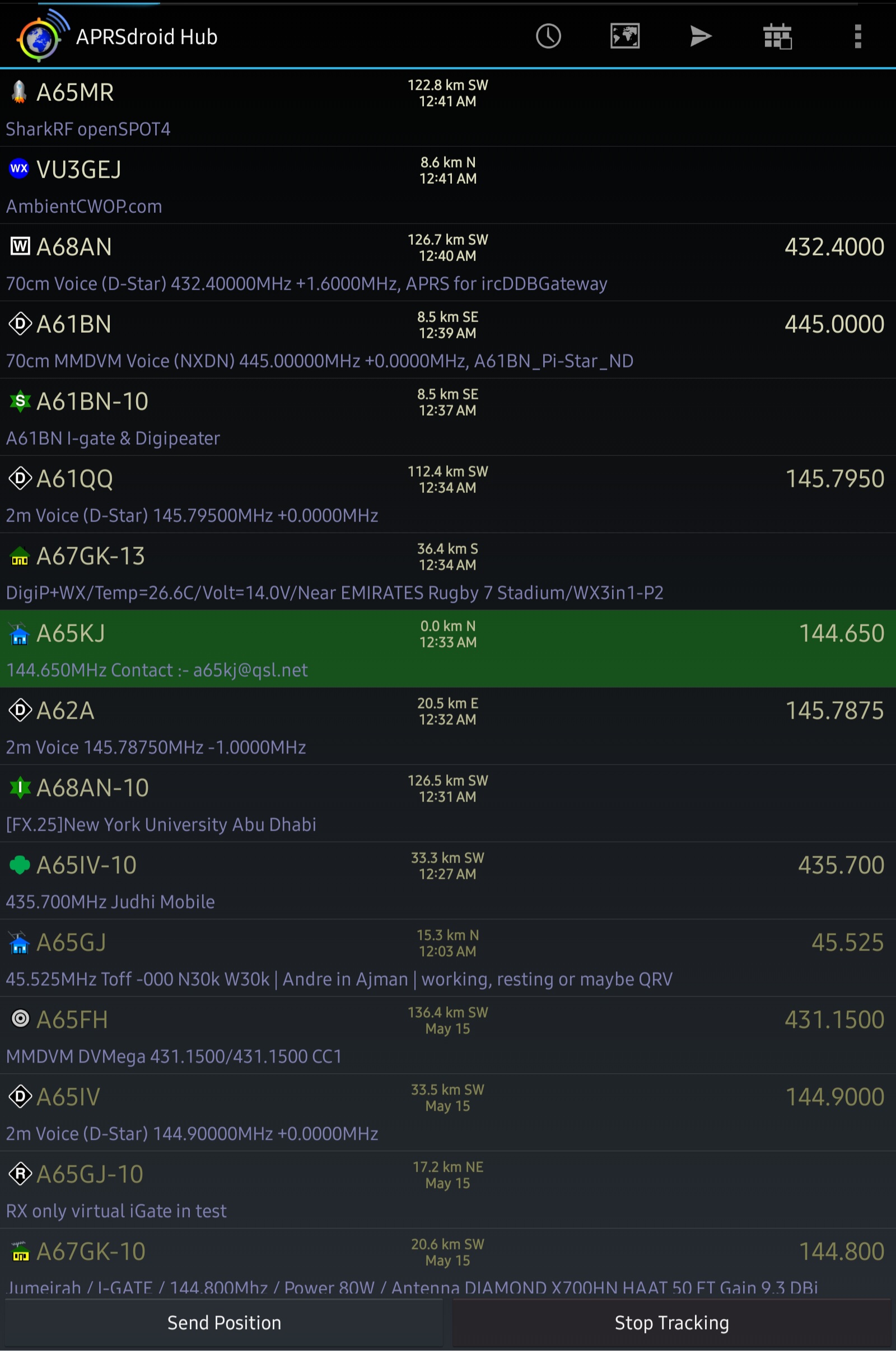 Successful APRS packet decodes from on-air testing
⚖️ USB2Rig vs DigiRig Mobile
| Feature | DigiRig Mobile | USB2Rig |
|---|---|---|
| Original Design | ✓ Yes | ✗ No (clone-style) |
| USB Sound Card | ✓ Yes | ✓ Yes |
| CAT/PTT Control | ✓ Yes | ✓ Yes |
| Compatible Cables | DigiRig cables | DigiRig-compatible |
| Android Compatibility | ✓ Yes | ✓ Yes |
| APRSdroid Support | ✓ Yes | ✓ Yes |
| Size/Form Factor | Compact | Very similar |
| Price | Higher | Typically cheaper |
📝 Field Notes
Practical Observations
Android detected the interface immediately as a USB audio device.
No additional drivers were required.
Audio levels were fairly forgiving, but transmit audio needed minor adjustment in APRSdroid.
The interface remained stable during long APRS beacon intervals.
Power consumption was low enough that it worked well from a phone battery.
The setup is compact enough to fit in a small pouch, making it suitable for portable APRS operation.
🎚️ Audio Level Tuning Tips
Transmit Audio Issues
❌ Too High
- Packets may be distorted
- Nearby stations may not decode your signal
❌ Too Low
- Digipeaters may fail to decode your packets
Recommended Approach
- 1 Start with the APRSdroid audio level around 50%.
- 2 Transmit a beacon.
- 3 Monitor your signal with another receiver or SDR.
- 4 Increase or decrease the level until the AFSK tones sound clean.
🗺️ Portable APRS Use Cases
Portable APRS Beacons
APRS During Hiking
Field Operations
Temporary Digipeater
A65KJ-7>APDR13,WIDE1-1,WIDE2-1::A61BN-10 :USB2Rig APRS test via Android{01
APRS Messaging (No Internet Required)
📸 Station Setup
 Complete portable APRS station in action
🎒 What's in the Kit
A small portable setup like this typically consists of:
- 📱 Android phone running APRSdroid
- 🔌 USB2Rig interface
- 📻 Handheld radio
- 🔗 Short radio interface cable
- 🔋 USB OTG adapter
Everything can fit into a small pouch, making it easy to deploy during portable operations or experiments.
🏁 Final Thoughts
After testing the USB2Rig with APRS and examining the hardware inside, it appears to be a functional and reasonably well-designed digital radio interface. The device combines a USB audio codec, a USB-to-serial converter, and supporting circuitry behind a small USB hub, allowing it to present itself to the computer as a USB speaker, microphone, and serial port simultaneously.
From a practical standpoint, the interface worked well with APRS using APRSdroid, and the setup process was straightforward once the audio levels were adjusted properly. The hardware design includes the essential components expected in this type of interface, such as audio isolation, serial level conversion, and configurable control signaling.
While the design clearly mirrors the concept of the DigiRig Mobile, the USB2Rig appears to implement the same basic architecture using lower-cost components such as the CH340 serial interface. In terms of functionality, however, it still provides the key features needed for digital operation, including audio input/output and serial-based PTT or CAT control.
Overall, the USB2Rig proved to be a useful and compact interface for digital radio experiments, particularly for portable setups using a smartphone or small computer. With the right cables and configuration, it can support a wide range of applications including APRS, packet radio, and other soundcard-based digital modes.